 Shotlore
 ›
Product
From the card to the edit, already logged
Your rushes arrive in the edit already logged. Shotlore for Mac and Windows (beta) offloads the cards, gives every clip keywords, a caption, a position, credits and the right timecode, and hands it all to your editor as import files.
Free for 14 days · No card · Mac and Windows
What does Shotlore do with a day's rushes?
Shotlore takes a day's cards through four stages, in order: offload, log, place and hand to the edit. Each stage is a step in the same job, and you can switch off the ones a job doesn't need.
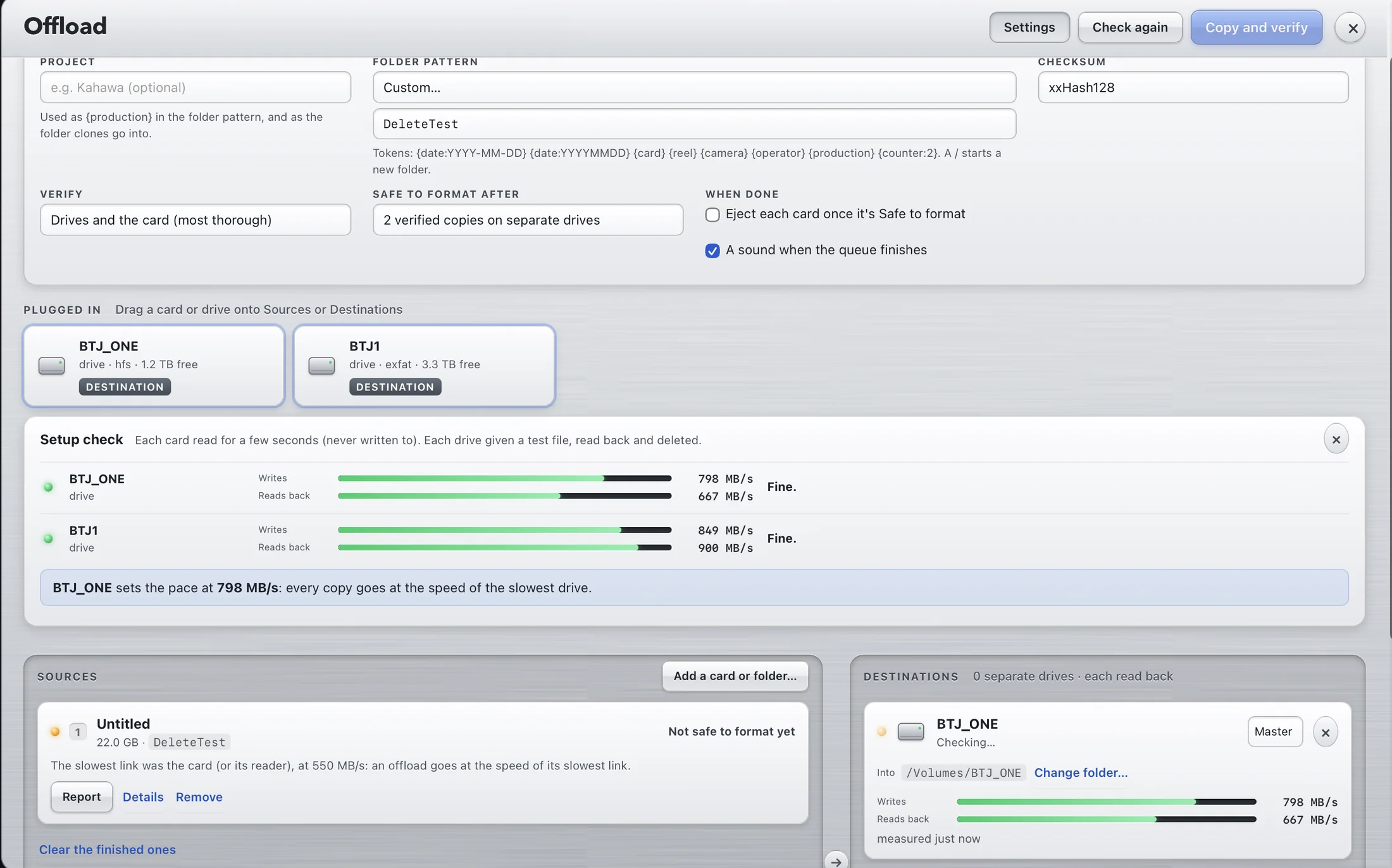
- Offload Copy each card to two or more drives at once. Every file is read back from each drive and checked against the card, an ASC MHL record goes on every drive, and nothing is ever written to the card.
- Log Keywords, a caption and a shot list for every clip, found free on your computer or written by Gemini under your own key, plus transcripts of speech. You approve them before anything is written.
- Place A GPS position and a place name for every clip: read from cameras that record GPS, matched from a track with one clock offset per camera, or pinned by hand on a map.
- Hand to the edit Import files for DaVinci Resolve, Final Cut Pro, Avid Media Composer and Premiere Pro, with credits and the right timecode, plus a shot log CSV. The clips themselves are never modified.
Underneath all four, Shotlore Field records the day. It is the free phone app for iPhone, iPad and Android: it keeps the day's track, the places you named, a photo of the clock and a shot log, and carries the crew's shoot pack. The day reaches Shotlore over Wi-Fi, through iCloud Drive from an iPhone, through the production's shoot folder, or as a file.
What else is in the box?
Stills get the same treatment as clips, the phone app is free, and every feature is listed on one page.
Stills, as a bonus
Keywords, caption, GPS, place names and credits written into the raw as XMP and IPTC, with an untouched copy kept. Pick selects for culling.
Shotlore Field
Free on iPhone, iPad and Android. Records the day's track, the clock and a shot log, and carries the shoot pack, the camera report and the card log.
Every feature
The whole flow chart, from setting up the shoot pack in the office to the files the editor imports, with the version each feature arrived in.
Who is it for?
Shotlore is for the people who shoot, copy and log the rushes, and the people who have to find them later. See how it fits natural history, documentary, camera operators and DITs, producers, production companies, photographers and drone operators. Coming from another tool? Compare.
What stays private?
Your clips, raw files and sound files never leave your computer. Shotlore has no server and no account, and nothing from a job goes to Shotlore's makers.
- Keywords found on your computer send nothing anywhere.
- If you choose Gemini, small preview frames, your shoot description, the capture time, position and place name go to Google under your own key. Never the clips.
- Place-name lookups send OpenStreetMap the centre of a grid cell, never a file's exact point.
- Sensitive locations, such as rhino, nests and dens, are rounded or withheld in everything that leaves.
The full list of what goes where, with Google's terms and broadcasters' rules: security and confidentiality.
Which computers does it run on?
Shotlore runs on macOS 12 or later (Apple silicon and Intel) and on Windows 10 or 11, 64-bit, where it is in beta. One licence key works on both. A few things are Mac only for now: Touch up and JPEG export, Quick Look, the Final Cut Pro export and the OffShoot hand-off. Download or read the manual.
Questions
Do I need a Gemini key?
No. Gemini is optional. Shotlore's on-device picture model finds keywords free on a Mac or a PC, and sends nothing anywhere. Gemini, under your own key, adds captions, headlines and transcripts. Positions, place names, credits and every export never use Gemini.
Does Shotlore change my clips?
No. Video and cinema raw files are never rewritten. Keywords, captions, positions and credits go into the import files for your editor, a shot log and optional XMP sidecars.
Do I have to use Shotlore's offload?
No. If you copy cards with OffShoot, Silverstack or another tool, Shotlore reads the ASC MHL records they write, so every card still shows as verified or not.
Does it work on Windows?
Yes, in beta: the same app and the same manual. Touch up and JPEG export, Quick Look, the Final Cut Pro export and the OffShoot hand-off are Mac only for now.
What does it cost?
There is a free 14-day trial with no card. Solo is US$75 a year, and Shotlore Field is free. Every option, including outright and per-production prices, is on the pricing page.
Try it on your next shoot
Every feature, for 14 days. Your key arrives by email straight away.
Free for 14 days · No card · Mac and Windows